
PitaLink
Explore the PITAKA NFC Tech World
Help Center > PitaLink Guide
PitaLink Guide - MagEZ Grip 2
How to set up your Shortcuts by NFC of your MagEZ Grip 2? (iOS)
Step 1
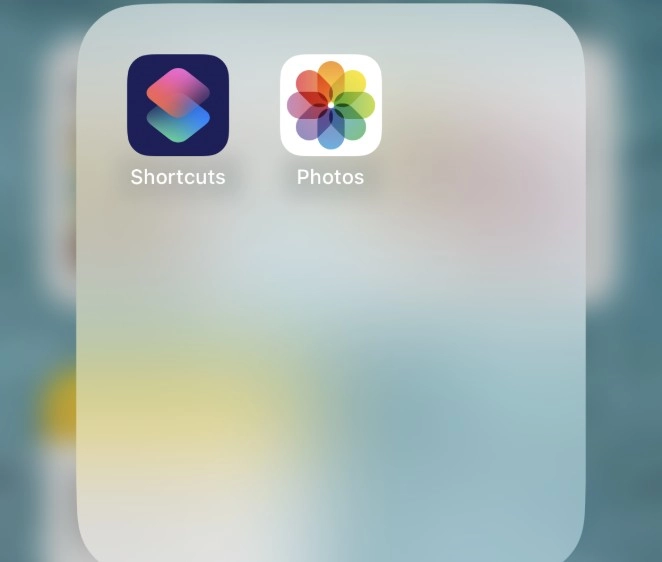
Step 2
Step 3
Step 4
Set the App/Action you prefer.
- Tap Next and Add Action; choose your preferred app or action, for instance, Send Message;
- Turn off Ask Before Running, and tap Done to confirm your settings. When the phone attaches to the MagEZ Grip 2, the App/Action will be auto-run.
Perform the actions by simply holding your iPhone close to the grip.
PitaLink Guide - MagEZ Car Mount Pro 2
How to set up your Shortcuts by NFC of your MagEZ Car Mount Pro 2? (iOS)
Step 1
Step 2
Create Automation by NFC.
Tap on Automation > Tap + and Create Personal Automation > NFC.
Step 3
Scan the Tag.
Select one color (blue/white/orange); tap Scan; then hold your phone over the car mount to add an NFC tag.
Step 4
Set the App/Action you prefer.
- Name the Tag, Tap Next and Add Action; choose your preferred app or action, for instance, Maps;
- Turn off Ask Before Running, and tap Done to confirm your settings. When the phone attaches to the Car Mount Pro (switch to blue), the Maps will be auto-run.
*Car Mount Pro 2 has 3 settings, allowing users to configure three different apps/actions. When switched to different settings, it will launch pre-set apps/actions accordingly.
Perform the actions by simply holding your iPhone close to the car mount.
How to set up the NFC of your MagEZ Car Mount Pro 2? (Samsung Android 13)
Step 1
Step 2
Tag and Set your NFC.
Car Mount Pro 2 has three settings, allowing users to configure three different apps/actions. When switched to different settings, it will launch pre-set apps/actions accordingly. We recommend you name the tag by its color.
Step 3
Perform the actions by simply holding your Samsung phone close to the car mount.
Still need help?
We're happy to assist you whenever you need us.

Email Us
For general inquiries and support, please click here to submit a support request.

Call Us
US office at (877) 886 6888
Hong Kong office at (852) 3619 7182.

Discuss at User Group
Join our Facebook to discuss any questions with Pitaka users.